Many tasks remain unfinished not because they are difficult, but because they are never truly recorded. Tasks arise during meetings, ideas come while on the road, and small requests come through WhatsApp. A few hours later, we try to rely on our memory to gather everything back.
The problem is, the brain is not designed to be a constantly active task recording application. It is good for thinking, making decisions, and connecting information, but it can easily become overwhelmed when trying to remember many small things at once. This is where a capture system is needed: a way to capture information before it is lost, and then process it at the right time.
What is a digital capture system?
Capture means to record ideas, tasks, notes, or information into a trusted place. This place can be a note-taking app, a task list, a dedicated email, or a simple document.
What matters is not the most sophisticated app, but that the path is clear. When something comes up, you know where to save it. When it's time to work, you know where to open it.
For example, you receive a message: “Please check last month's sales figures.” This message does not necessarily need to be acted on immediately. However, it needs to be turned into an actionable note, such as Check the April sales report and send corrections to Rina.
Why do too many places make work harder?
A common mistake in digital productivity is creating a new storage place for every type of information. Ideas go into note-taking apps, tasks go into project management apps, personal reminders go into calendars, and requests from colleagues remain in chats.
Initially, such a system seems tidy. After a few weeks, we start to forget where to look for something. Time that should be spent working is wasted opening multiple apps and ensuring no information is left behind.
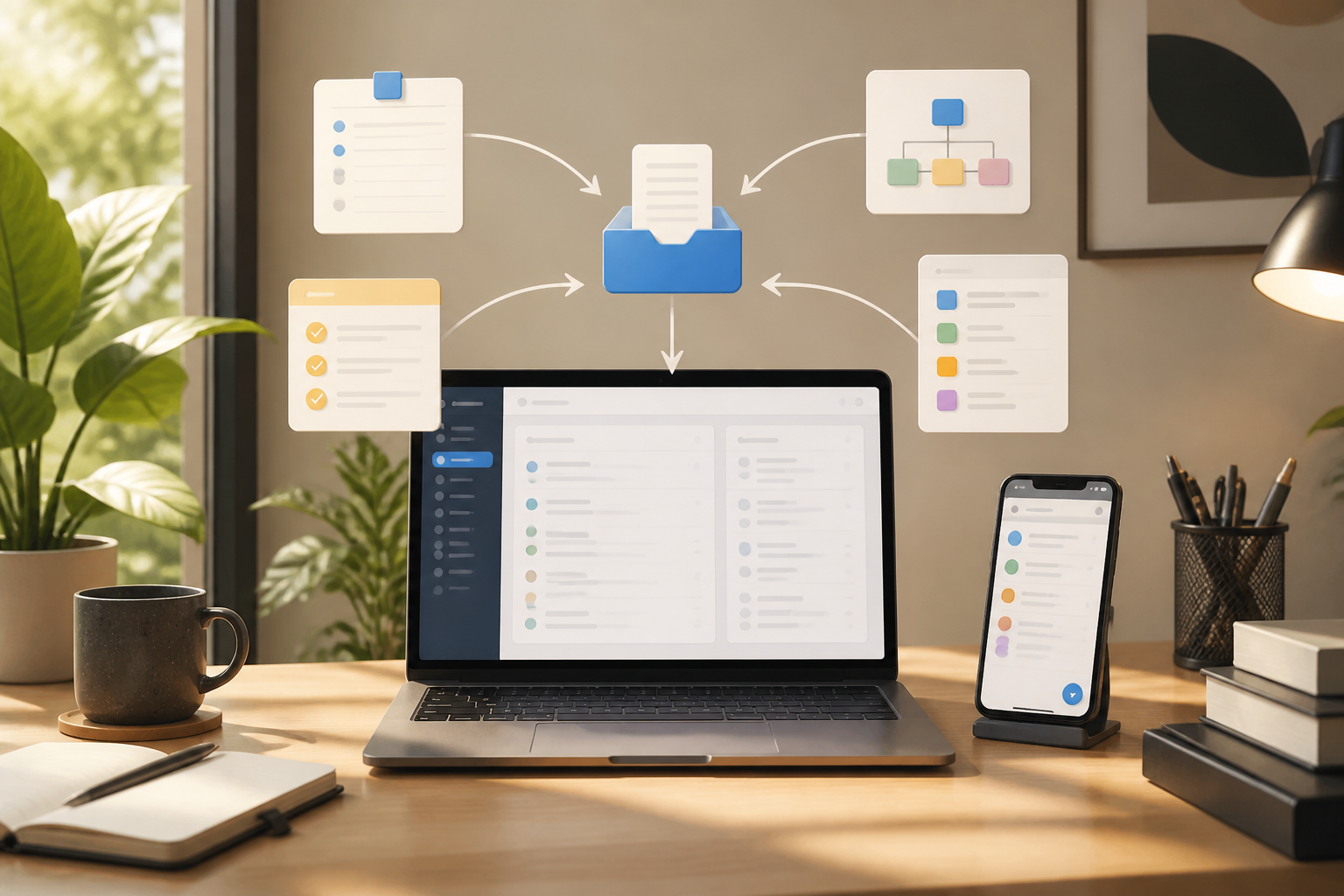
Therefore, a capture system should start with one digital inbox. Here, the inbox is not just an email inbox, but a temporary holding place for all things that have not been processed.
Build a simple digital inbox
Choose one place that is easiest to access from the devices you frequently use. It could be the built-in note-taking app on your phone, a task list, or an online document. Do not choose based on the number of features. Choose based on speed and the likelihood that you will actually use it.
A good digital inbox must meet three criteria:
- Quick to open: You should not have to navigate through many menus just to jot down one sentence.
- Easy to search: Incoming notes should not get lost among many folders.
- Accessible when needed: Ideally available on the devices you usually use for work.
Use this inbox to capture raw things, not to make everything perfect right away. Notes like “article idea about photo backup” or “ask about the status of the tax document” are sufficient for the initial stage.
Differentiate between capturing, processing, and doing
These three activities often get mixed up, making work feel never-ending. Capturing means storing information. Processing means determining what that information means. Doing means actually taking action.
For example, when you get the idea “create a financial app guide,” you simply capture it in the inbox. During the processing session, turn it into a clearer form: “Research three expense tracking apps for the article.” After that, determine when the work will be done.
Separating the three helps you avoid making new decisions every time a message or idea comes in. During busy hours, just capture. During the designated time, then process and organize the follow-up.
Use a note format that can be acted upon immediately
Notes that are too general often lead us to procrastinate. “Handle the project” or “fix the report” does not provide a clear picture of the next steps. Use the following simple format:
- Verb: start with an action like check, send, ask, compare, or schedule.
- Object: mention the document, person, or project involved.
- Constraint: add a deadline or context if applicable.
“Fix the report” can be changed to “Check three operational cost figures in the May report before Thursday's meeting.” This sentence is longer, but much more useful as it provides guidance on the action to be taken.
Don't make the inbox a permanent storage
The inbox is just a transit place. If everything is left to pile up there, the new system will turn into a digital worry list.
Set aside a short time to process it, such as 10–15 minutes at the end of the workday or before starting work. Open each item one by one and ask a few questions:
- Does this still need to be done?
- If yes, what is the next most obvious action?
- Can it be completed in a few minutes?
- Does it need to be scheduled, delegated, or saved for reference?
If an item does not require action, delete or move it to the archive. If it requires action, add it to the appropriate task list. If it has a specific time, use the calendar. Do not put everything on the calendar just to look organized; the calendar should be used for commitments that must be done at a specific time.
Organize incoming paths from chat and email
Chat is the biggest source of distraction because information comes mixed with casual conversations. You do not have to immediately turn every message into a task, but important requests need to be moved to the main system.
One habit to try is to mark messages, then copy the core action into the digital inbox. Do not copy the entire conversation. Just take the practical conclusion, including who requested it and when it is needed.
Messages that have not been turned into actions may still seem important, but they are not necessarily easy to act on.
For emails, use specific subjects or follow-up notes. For example, instead of just “Email from client,” say “Reply to client's question about contract revisions before Friday.”
What does this mean for us?
A capture system is not a way to fill the workday with task lists. The goal is actually to reduce mental load and make attention more stable. You do not need to keep repeating in your head that there is something that has not been done.
However, this system will not help if it is used to record everything without ever reviewing it. The key lies in a simple combination: one place to capture, routine sessions to process, and a task list that is clear enough to act on.
What you can do now
- Choose one app as your main digital inbox.
- Move all scattered task notes to that place.
- Turn general sentences into specific actions.
- Set a short processing time each day.
- Delete, archive, schedule, or delegate items that have been processed.
Start without creating a complicated system. If you can capture something in a few seconds and find it again when needed, that is already a strong foundation for digital productivity. Apps may change, but the habit of moving information from your head to a trusted system will remain useful in the long run.
– Rio Yotto @rioyotto